

發現中國之美,探索世界精彩
精選中國及全球優質旅遊產品。從經典地標到隱密寶藏,只為您呈現最值得體驗的旅程。

 8 天•新疆烏魯木齊+北疆+阿勒泰地區+喀納斯景區+禾木風景區

 5 天•重慶+武隆區|特惠每週一班|精選希爾頓飯店|渝城純玩輕軌穿樓、夜遊洪崖洞民俗風貌區、苗族蚩尤九黎城、世遺天生三橋|可聯繫客服訂製

4 天•貴州貴陽+黃果樹景區+荔波+西江千戶苗寨

2 天•「九寨溝·黃龍·」假期深度遊四川·諮詢客服可升級入住獨家國際品牌九寨天堂洲際,貼心安排成都東站 VIP 貴賓室享免排隊特權

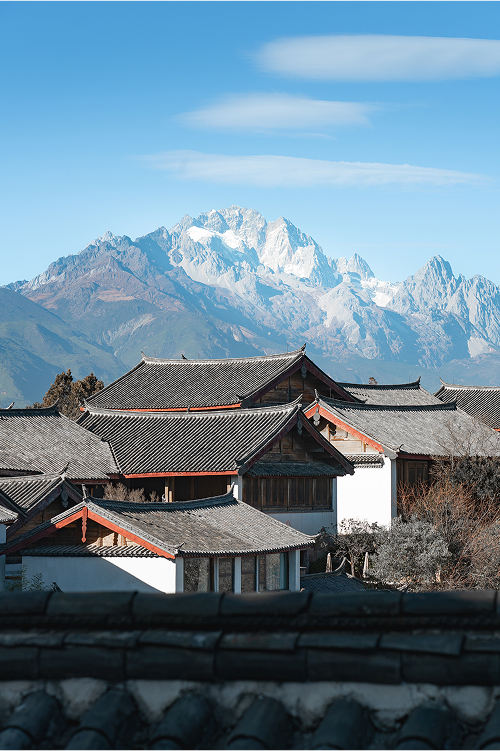
8 天•昆明+大理市+麗江+香格里拉+玉龍雪山

5 天•「成都·九寨溝·黃龍·熊貓基地·三星堆」假期深度遊四川,連住 2 晚獨家九寨天堂洲際,動車往返九寨節省 5-8 小時車程

2 天•重慶+武隆天生三橋+烏江畫廊+龍水峽地縫+蚩尤九黎城

6 天•重慶+武隆區+解放碑步行街+洪崖洞民俗風貌區+重慶動物園+武隆天生三橋

2 天•重慶+武隆區

6 天•張家界+天門山國家森林公園+張家界國家森林公園+張家界大峽谷+芙蓉鎮+鳳凰古城

2 天•峨眉山+樂山

5 天•陽朔竹筏漂、龍脊梯田眺,桂林雙絕一次玩過癮|全家親子包車遊|4小時4星級豪華遊船暢遊灕江仙境+千里江山圖走進畫中

4 天•敦煌+莫高窟+鳴沙山月牙泉

8 天•雲南昆明+大理市+麗江+香格里拉

5 天•青島

7 天•新疆伊犁+賽里木湖+庫爾德寧景區+那拉提草原

We are always here to help
Our outstanding customer support is available 24/7. Contact us via chat or phone.

Special Circumstance Cancellation Service Guarantee
Trip.com will then make every effort to assist the user in negotiating the cancellation of their trip. If a user is unable to travel due to unforeseeable medical conditions (e.g. death, pregnancy, broken bones, or hospitalization), they shall provide all supporting documents within one week of submitting their cancellation request.

Emergency Assistance
Trip.com will provide 24/7 emergency service to ensure the trip goes smoothly. If the user experiences a loss of baggage or ID during the trip, or their trip is affected by accident or illness, Trip.com will also endeavor to provide whatever assistance is necessary.

Advance Compensation
Trip.com practices a policy of providing advance compensation for all its businesses. Trip.com will investigate any complaints raised by users and, if it is verified that Trip.com is at fault, will provide compensation in advance.
推薦目的地



旅客真心分享
“很棒的安排,值得推薦,導遊、司機等都很親切、負責”

陈良仲
朋友
“許先生很客氣,有盡量想辦法滿足我們的要求,沒有任何抱怨,非常感謝他”

匿名用戶
夫妻/情侶
“第二天土樓行程遇到下大雨,部分景區步道無法通行,感謝張偉導遊貼心應變,在安全條件下詳細為我們介紹,另感謝第三、四天小吳導遊廈門及鼓浪嶼貼心服務,並協助解決接送問題。兩位導遊深獲遊客的好評,惟接送派車服務待加強。”

_TITW******pjlnaq
夫妻/情侶
“很棒的旅遊安排與行車服務”
_TITW******2ul32
朋友
“很棒的行程,有高山瀑布流水古鎮,賞心悅目舒活的旅遊。謝謝導遊李补豔的照顧,對待團員非常有耐心,盡責細心體貼,情緒管理非常好。八年沒來大陸旅遊,感覺旅遊服務業進步神速,還有後勤人員的協助關心。很愉快的旅遊!攜程很值得信賴!謝謝你們”

SM Peng
獨自出遊
“不錯的旅遊行程安排”
匿名用戶
夫妻/情侶
“管家服務迅速又貼心,接送的司機人都很好,下次有機會還會再訂購私人包團行程。”
_TITW******uptmt
與父母同行
“呢次贵州五日四晚嘅旅行玩得超开心,一定要大力赞下重庆途佳国际旅行社,同埋我哋嘅宝藏司机郑维江师傅,全程体验真係顶晒! 我哋去咗黄果树、荔波大小七孔、西江千户苗寨、镇远古镇、梵净山。旅行社安排嘅行程好周到,唔赶时间、唔兜路,纯玩冇套路,节奏轻松,老人家同小朋友都跟得好舒服。旅行社仲安排咗豪华九座车,空间阔落又干净,坐成日都唔攰。 郑师傅真係冇得顶,车技超稳,贵州嘅山路都开得四平八稳,全程好安心。除咗开车叻,为人又热心,一路同我哋讲当地风土人情,帮我哋避坑。最惊喜係师傅仲亲自落厨整酸汤鱼、鸡汤炖鱼,味道仲好过酒楼!仲特登带我哋去本地人帮衬嘅食肆,干锅牛肉、汤锅牛肉香到爆,正正宗宗嘅贵州风味。 全程冇隐藏消费,服务贴心周到,旅行社同郑师傅都好老实。嚟贵州旅游拣重庆途佳国际旅行社,搵郑维江师傅一定冇错,省心又暖心,极力推荐”
匿名用戶
朋友
“風景優美,吃和住都體驗極佳,汪導遊專業負責服務很好”
匿名用戶
夫妻/情侶
“導遊羊羊是個年輕,有活力又很感性的小女生,讓我們整個旅程舒適又感動,三天兩夜行程安排充實又不會太累,而且羊羊有給予更多時間讓我們好好遊覽九寨溝,雖然黃龍景區因為正處於枯水期有點美中不足,但五彩池還是讓人相當驚艷。”
匿名用戶
夫妻/情侶
常見問題
App:
Sign in to your account
Go to "Account"
Tap the profile picture next to your name
Website:
Sign in to your account
Click the profile picture in the top right of the page > Click "Profile"
App:
Sign in to your account
Go to "Account"
Select the icon in the top right of the page to enter "Settings"
Find "Email Notifications" and toggle on the notifications you're interested in
Website:
Sign in to your account
Click the profile picture in the top right of the screen
Click "Subscriptions" and select the notifications you're interested in
App:
Sign in to your account
Go to "Account"
Tap the rewards section underneath your name
Website:
Sign in to your account
Click your profile picture in the top right corner of the screen
Select "Trip Coins"